Bill Pay: every invoice, from inbox to paid
Dash.fi Bill Pay collects your invoices, routes them for approval, pays your vendors, and posts every bill to your books, all in one place.
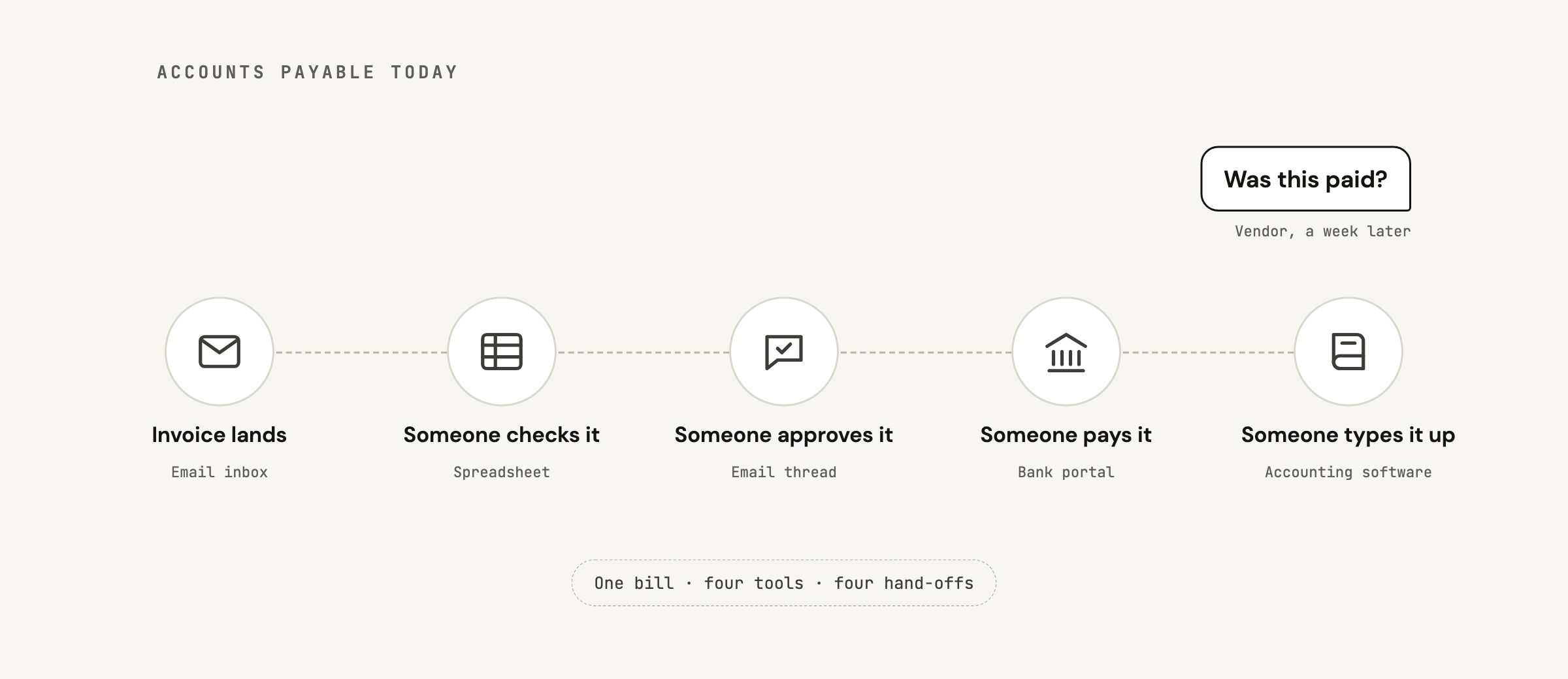
Paying a vendor sounds simple until you count the steps. The invoice lands in someone's inbox. Someone checks it, someone with authority approves it, and someone logs into the bank to send the money. Then the bill gets typed into the accounting software, and the vendor emails a week later to ask whether it was paid. At most companies that work is spread across email, spreadsheets, the bank, and the books.
How a bill moves
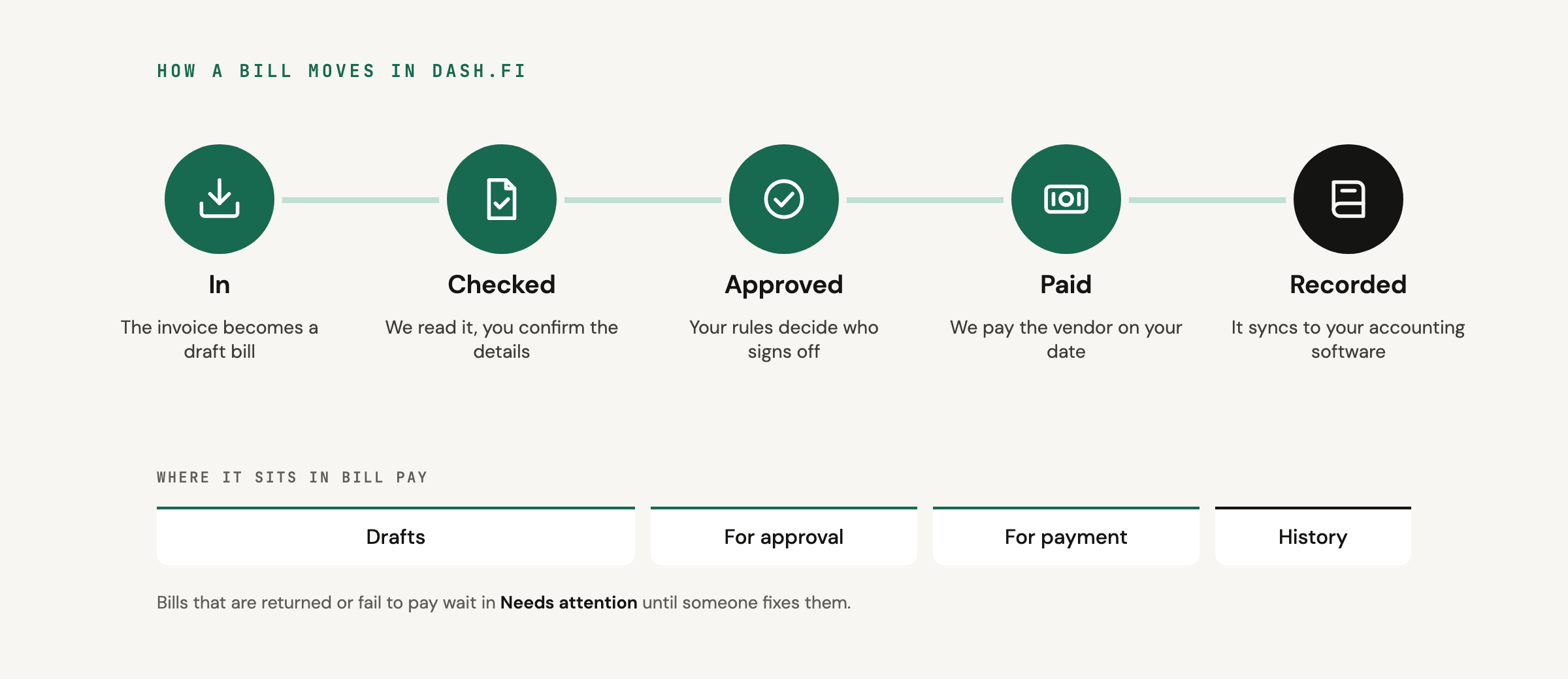
Every bill goes through the same stages, and the Bill Pay tabs follow them: Drafts, Needs attention, For approval, For payment, and History.
- In. The invoice arrives and becomes a draft bill.
- Checked. We read the details off the invoice, and you confirm the vendor, amounts, and categories.
- Approved. Your approval rules decide who needs to sign off, if anyone.
- Paid. We pay the vendor on the date you chose, by the method you picked.
- Recorded. The bill and its payment sync to your accounting software.
Getting bills in
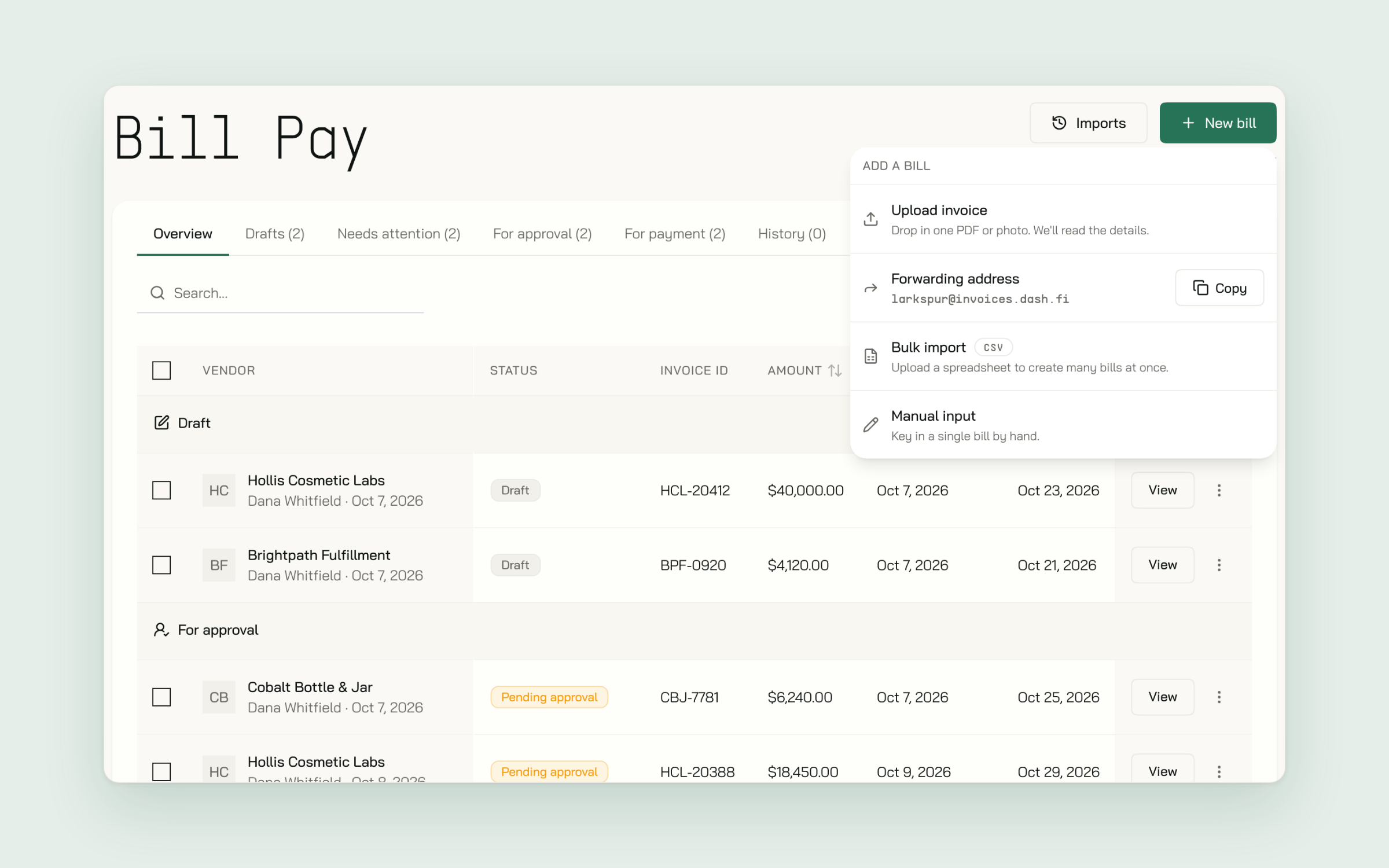
Choose New bill to see every way in:
- Upload invoice. Drop in a PDF or photo and we read the details. You can also drag up to 25 invoices anywhere on the Bill Pay page.
- Forwarding address. Your team forwards invoices to your company's own Dash.fi address, and each attachment becomes a draft bill.
- Bulk import. Upload a CSV to create many bills at once.
- Manual input. Key in a single bill by hand.
Paying
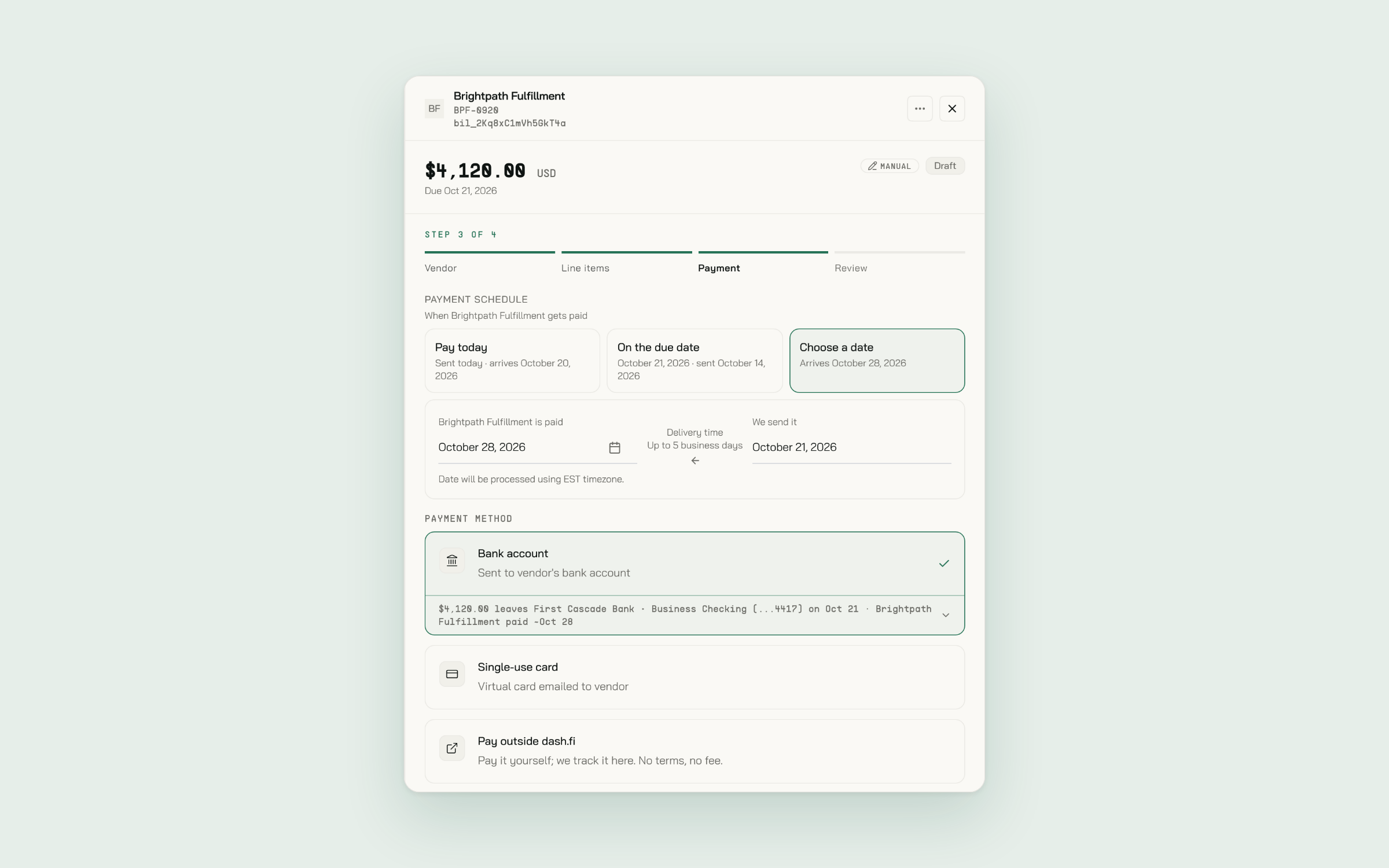
Pick the payment method on each bill's Payment step:
- Bank account. ACH or a domestic wire, paid from your Dash.fi account or a connected bank.
- Single-use card. A virtual card for that one bill, emailed to the vendor.
- Pay in 60 days. For eligible accounts, we pay the vendor now and you repay later. See Pay in 60.
- Pay outside dash.fi. You pay it yourself, and we keep track of it here.
Then choose when the vendor is paid: today, on the due date, or a date you pick. Send remittance notice when paid is ticked by default, so the vendor gets an email with the invoice details when the payment goes out.
Approvals
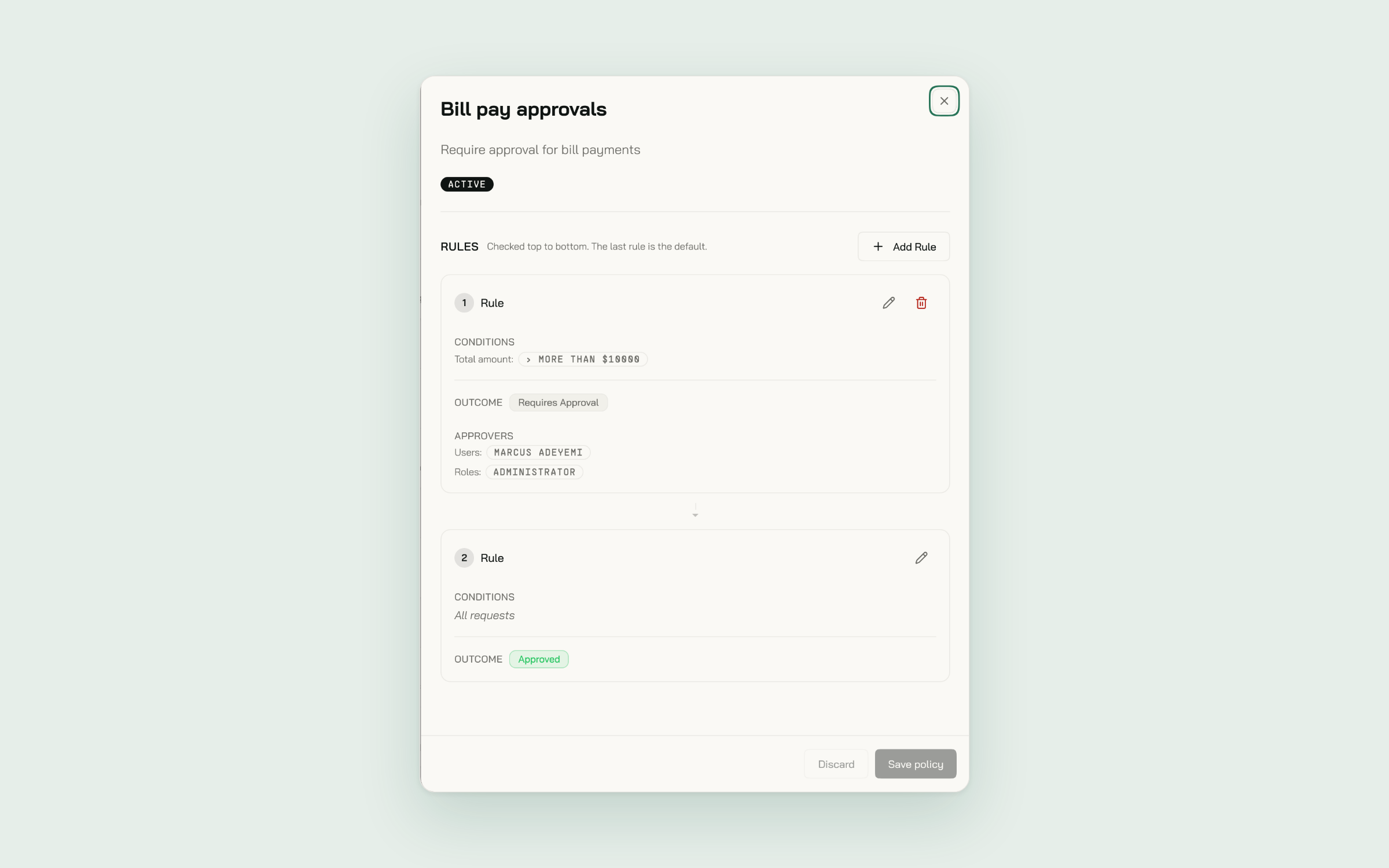
Set approval rules once under Company > Policy and they apply to every bill. A rule can look at the bill's total, its payment method, its purchase order, or who raised it. Send approvals to specific people, a team, a role, or the requester's team manager. Approvers can clear their queue from the web or the mobile app, one bill at a time or in a batch.
Accounting sync
Connect QuickBooks Online, QuickBooks Desktop, NetSuite, Xero, or Sage Intacct and every bill and payment syncs as it happens. If a sync can't complete, the bill says why, with a Sync bill button to try again.
Get started
- An Administrator turns on Bill Pay under Company > Products with Enable Bill Pay.
- Add your first vendor under Vendors.
- Drop an invoice onto the Bill Pay page, check the draft, and submit it.
The Bill Pay guide walks through each step.
New to Dash.fi? Get started here or book a demo with one of our product experts.