

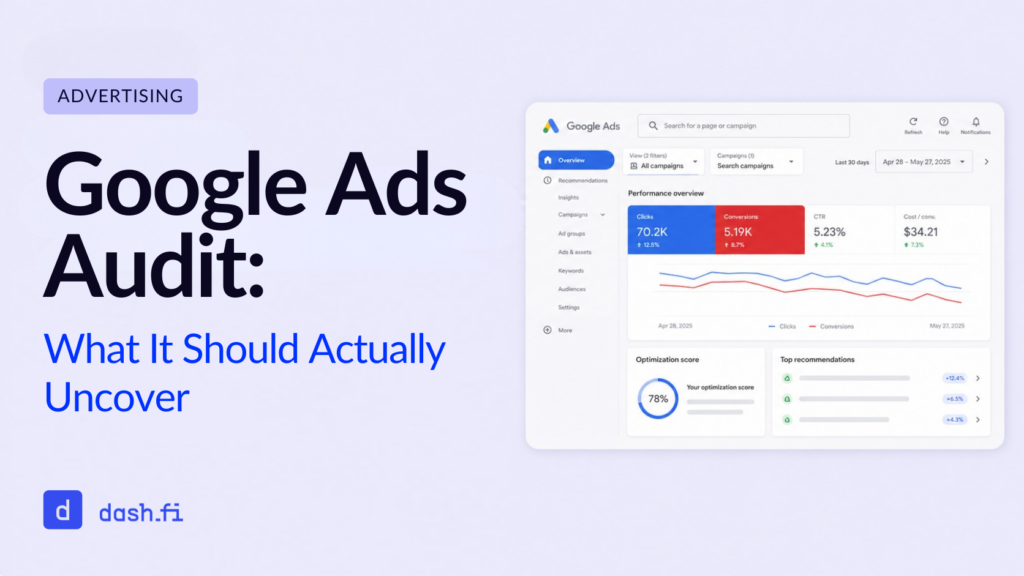
When you run a Google Ads Audit, you’re performing a systematic review of your Google Ads account to find issues like wasted spend, misconfigurations, gaps in your targeting, and inefficiencies in performance. The point of these audits is to track down every dollar that isn’t working for you, so you can fix it before the next billing cycle.
Of course, most advertisers only run audits once they realize something’s wrong. Your CPAs spike. Your ROAS collapses. And, sure, this will help you see what went wrong, but the more effective audits are the ones you can run proactively, to scan accounts regularly and catch problems before they add up.
In this guide, we’ll walk you through exactly what a Google Ads Audit should examine and where most audits fall short. We’ll show you how AI-powered audit tools can be more useful for finding wasted spend than manual reviews, which consistently miss important issues.
What Does a Google Ads Audit Cover?
At a glance, a complete audit should review every single layer of your account:
- The structure of your campaign: Are your campaigns local? Are your keywords being cannibalized across ad groups?
- How you allocate your bidding and budget: Are your budgets concentrated on high-performing campaigns, or are they spread thin?
- The health of your keywords: Are your match types appropriate? Are your negative keywords applied correctly?
- Your ad copy and extensions: Are your ads testing multiple variants? Are all of your available extensions in use?
- Your settings for audience and targeting: Are your audiences layered correctly?
- Conversion tracking: Is your tracking firing correctly? Are there duplicate conversions inflating your data?
- Your quality score: Are your landing page relevance, expected CTR, and ad relevance all healthy?
- Any invalid traffic and click fraud: Are fraudulent clicks consuming your budget? Is invalid traffic being suppressed?
That last one, invalid traffic, is where most audits fall short. Of course, this is also where most of your recoverable losses occur, so you see why it’s an elemental piece of the audit.
The Standard Audit: What You Can’t Help But Catch
While a standard, templated audit won’t catch everything, there are some basics that most audits will surface. You’re likely to see the following:
1. How you’re wasting money on irrelevant keywords
Most search term reports will show you where broad or phrase match keywords are triggering ads for off-target queries. You can fix this quickly by adding negative keywords, but the waste accumulated in between your audits can add up fast.
2. Budget imbalances across campaigns
It’s typical for high-performing campaigns to hit their budget caps quickly and lower-priority campaigns to continue spending. A pretty common audit recommendation is to reallocate your budget to top performers.
3. Ad groups that get low quality scores
Google will charge you more per click when your landing page relevance, ad relevance, and CTR are low, and it’s standard for audits to flag Quality Scores below 5. They’ll recommend implementing tighter keyword-to-ad alignment.
4. When conversion tracking is missing or broken
If your conversions are misattributed or duplicated, your optimization signals will be distorted. Any audit should verify that every conversion action is firing once, correctly, and attributed to the right campaign.
5. When your ad extensions are underutilized
Sitelinks, callouts, structured snippets, and call extensions all improve your CTR Quality Score, so any audit worth its weight is going to find accounts that leave these unused.
6. Gaps in your audience targeting
Most accounts grossly underutilize remarketing lists, customer match audiences, and similar segments. Layering these audiences for bid adjustments or exclusions adds value for very little effort.
The Failure: Standard Audits Miss the Invisible Spend Problem
Even the best human auditor can only see the surface layer of your account: campaign settings, search term reports, and Quality Scores. Beneath the surface run categories of wasted spend that auditors can’t often find because they don’t show up on a standard Google Ads dashboard.
The most significant area of wasted spend is invalid traffic.
What Is Invalid Traffic in Google Ads?
Invalid traffic (IVT) is all of those clicks and impressions that aren’t coming from genuine user intent. These invalid clicks can come in many forms:
- Automated bot traffic: non-human clicks from bots or scripts
- Click farms: humans who are paid to click on your ads
- Accidental clicks: super common on mobile devices, where humans can “mis-tap” on your ads and inflate your click counts
- Competitor click fraud: competitors will deliberately click on your ads to exhaust your budget
Google will provide some automated invalid traffic filtering, and it will credit some advertisers when IVT is detected, but this filtering is not comprehensive. Part of that invalid traffic will pass right through Google’s detection, so you’ll get charged, and your budget quietly gets drained. And there won’t even be an obvious performance anomaly to trigger human review.
Why Is Invalid Traffic Hard to Catch Manually?
The biggest reason IVT is hard to catch is that it won’t show up as a line item on your campaign report. There’s no keyword, placement, or device type you can filter by, so it looks, on the surface, like you’re just getting normal click activity. But that activity simply doesn’t convert.
IVT is especially hard to find on low-converting campaigns because it can just look like underperformance. That ambiguity adds up over time, which is why deeper analysis is such an important part of going beyond the standard audit.
AI Audits: How to Catch What Google Ads Can’t Find
AI tools are changing the face of what’s detectable. Now, with pattern analysis at scale and at a speed that manual review cannot hope to match, these audit tools can ingest raw click and billing data and look for anomalies that show up as non-human or low-quality traffic. No more manual reviews of account settings and report summaries.
What AI Audit Tools Can Detect That Humans Can’t
| Finding | Manual Audit | AI Audit |
| Keyword cannibalization | ✅ | ✅ |
| Negative keyword gaps | ✅ | ✅ |
| Budget imbalance | ✅ | ✅ |
| Invalid traffic from bots | ❌ Rarely | ✅ |
| Click fraud patterns | ❌ Difficult | ✅ |
| Billing discrepancies | ❌ Rarely | ✅ |
| Lookalike signal degradation | ❌ No | ✅ |
| Suppression list recommendations | ❌ Manual | ✅ Automated |
The Ad Death Spiral: A Hidden Consequence of Invalid Traffic
One finding that AI audits will spot, which most standard audits miss, is the downstream effect of invalid traffic on your campaign optimization.
Google’s machine learning system sees click data as a positive signal, so when bots or fraudulent sources click on an ad, the algorithm will interpret that engagement as interest. Over time, this becomes a pattern that corrupts the lookalike modeling, and the algorithm will start optimizing for an audience profile that’s partially built on fraudulent activity. It then begins serving ads to more sources that match that profile.
So your CPAs rise, your ROAS falls, and more of your budget goes toward increasingly low-quality traffic. Then, your account degrades in a feedback loop that gets harder and harder to reverse the longer it goes undetected.
With an AI audit, you can identify this degradation as soon as it begins because the system will analyze the quality of clicks alongside your conversion data. A manual audit cannot do this because it requires pattern analysis across thousands of data points.
(Graphic opportunity: Funnel or cycle diagram that shows the Ad Death Spiral: invalid click > positive signal > lookalike degradation > higher CPA > more invalid traffic)
Are You Wasting Money in Google Ads? Signs Your Account Needs an Audit
You’ll know if you need to run a full audit if you can identify the following account signals:
- Your CPA is rising without a clear cause
- Your click volume is up, but your conversions aren’t
- Your ROAS has declined in the last 60-90 days
- Google is crediting you for invalid clicks
- You’re seeing a high mobile click volume with a low conversion rate
Any one of these triggers indicates you may have a problem, and it’s time to run a full audit with an AI tool that can analyze patterns.
How Can You Identify a Wasted Budget? Your Audit Checklist
As you prepare for a structured, comprehensive audit, you can use this framework to check items off as you go.
Campaign Level
- Budget allocation matches campaign performance tiers
- Bidding strategy aligns with campaign objective
- Campaign-level negative keyword lists are applied
Ad Group Level
- Single theme per ad group
- No keyword cannibalization between groups
- Minimum 3 ad variants per group, with RSA pinning reviewed
Keyword Level
- Search term report reviewed and negatives added monthly
- Match types are intentional
- Low-performing, high-spend keywords flagged for pause or restructure
Tracking & Data
- Conversion tracking verified via Tag Assistant
- No duplicate conversion actions
- Google Ads and GA4 attribution models are aligned
Traffic Quality
- Placement exclusions applied to Display and Performance Max
- Audience exclusions active
- Invalid traffic and billing data reviewed via the AI audit tool
Can You Perform a Google Ads Audit Yourself? Or Should You Hire a Pro?
As with most things, the answer is “it depends.” The real question here is, what are you trying to find?
You can perform your own audits for:
- Reviewing the structure of your campaign, your Quality Scores, and the efficiency of your keywords
- Finding obvious budget waste or broken tracking
- Optimizing basic negative keywords and ad copy
But you’ll want to hire a professional or use an AI tool to perform your audit to:
- Detect invalid traffic and click fraud patterns
- Find billing discrepancies and file for ad credits
- Analyze the health of your lookalike model and the quality of your signal
- Create suppression lists and project forward
At the most practical level, you can audit manually what you can see on the Google Ads dashboard. Beyond that, you’ll need to use an AI tool that works with billing and click data at a granular level humans simply cannot reach. The truth is, most complete audits performed today combine the best of both worlds: AI to go deep and humans to oversee and interpret.
For ecommerce advertisers spending significant monthly budgets on Google, AI-assisted audits have recovered between 3-6% of ad spend through a combination of invalid traffic suppression, billing credit recovery, and account cleanup.
How Often Should You Run a Google Ads Audit?
| Audit Type | Recommended Frequency |
| Campaign structure & keywords | Monthly |
| Conversion tracking verification | Monthly |
| Negative keyword review | Bi-weekly |
| Full account audit | Quarterly |
| AI-powered traffic quality audit | Continuous / automated |
You’ll want to perform manual audits as point-in-time reviews, a snapshot, as it were. But because invalid traffic and click fraud are ongoing, you need continuous AI monitoring to effectively review that category of waste.
Frequently Asked Questions
What is a Google Ads Audit?
A Google Ads Audit is a review of your advertising account to find inefficiencies and wasted spend. This helps you optimize your opportunities across your campaign settings, keywords, bidding, targeting, and traffic quality.
How long does a Google Ads Audit take?
A basic manual audit can take up to 4 hours, and a comprehensive audit that covers an analysis of your traffic quality, a review of your billing, and implementation of a suppression list can take much longer. That’s why AI tools that automate the data-heavy portions are becoming more common.
What does a Google Ads Audit cost?
Like with most tools or services, the costs can vary widely. In general, freelance audits range from a few hundred dollars to over a thousand, and agency audits can run much higher. AI-powered audit tools like dash.fi’s Click Fraud Agent comes free with a dash.fi card. You can schedule a demo to see how it works today.
What is invalid traffic in Google Ads?
Invalid traffic is any click or impression that doesn’t come from genuine user interest. This could be bot traffic, click farms, or accidental taps.
How do I know if click fraud is affecting my account?
It can be tough to distinguish, especially on lower-performance campaigns. But in general, rising CPA without a campaign change, high click volume without conversions, and ROAS erosion over 60-90 days are all indicators that you’ve got click fraud wasting your spend. An AI audit tool can analyze your billing and click data to get you a more definitive answer.