
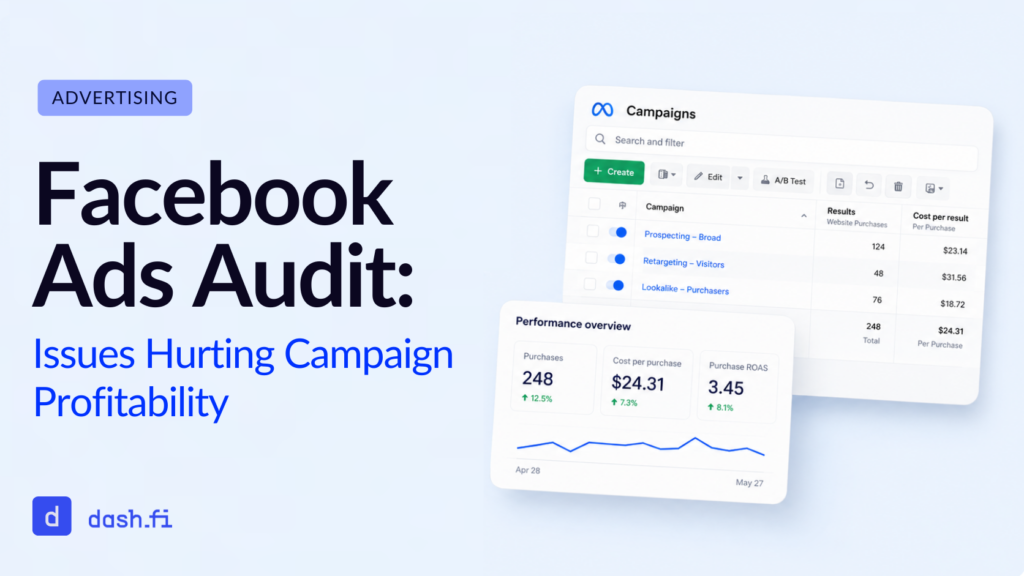
When you perform a Facebook ads audit, you move through a structured review of your Meta advertising account, from your campaigns, ad sets, and audiences, to your tracking setup and spend. The goal is to find everything that’s eating away at your profitability.
For most advertisers, the only purpose of audits is to find big issues that are already negatively affecting them, like after your ROAS tanks or your cost per purchase doubles. But to really improve your profitability, you need to catch any issues, big or small, before they compound, which means regular, proactive audits on a regular cadence.
In this guide, we’ll walk you through the most common issues that can hurt your Facebook campaign performance and how to diagnose each one. Then, we’ll help you turn your audit findings into a clear action plan.
Why Do I Need to Conduct Regular Facebook Ads Audits?
Facebook’s ad platform is powerful. But it’s also a complex system that can hide problems in plain sight for months: attribution windows shift, audiences overlap, pixels fire incorrectly, and creative fatigue sets in without warning.
Oh, and invalid traffic is the worst. Think of all the bot clicks and low-quality impressions inflating your metrics and draining your budget fast.
The longer one or more of these issues go undetected, the more your algorithm optimizes toward the wrong outcomes. Like any algorithm, Meta learns from the data it receives. The more your data is corrupted by misattributed conversions, fraudulent traffic, and overlapping audiences, the more your performance degrades in ways that are hard to reverse.
But when you perform regular Facebook ads audits, you keep your data clean, so your spend works the way it’s supposed to.
What Metrics Should Be Focused On During a Facebook Ads Audit?
Before you audit, establish a baseline by keeping these metrics at the top of your list:
- Cost per result (CPR): Is your cost per purchase, lead, or conversion trending up without a clear cause?
- Return on ad spend (ROAS): Is your reported ROAS consistent with the actual revenue in your backend?
- Click-through rate (CTR): Are your ads generating genuine interest, or are the clicks not leading to meaningful engagement?
- Frequency: Are your audiences seeing the same ads too many times, wasting impressions, and leading to fatigue?
- Relevance diagnostics: Are your quality ranking, engagement rate ranking, and conversion rate ranking healthy?
- Attribution data: Are your conversions being counted accurately, or are there discrepancies between Meta’s reported numbers and your actual sales data?
When you review all of these metrics together, you’ll be able to uncover the specific issues happening with your account, as outlined below.
The Most Common Facebook Ads Issues That Hurt Profitability
1. Broken or Misconfigured Pixel Tracking
The single most important factor when it comes to getting your advertising right is clean data, so tracking problems are the fundamental issue any audit can uncover. Without solid tracking, you can’t really move forward.
Here are some common tracking failures:
- The pixel is firing multiple times on the same page, inflating your conversion counts
- Standard events, like Purchase, Lead, or Add to Cart, are mapped incorrectly
- Conversions are attributed to the wrong campaign or ad set because of overlapping attribution windows
- The pixel isn’t firing on your key pages
How to diagnose it: You can use Meta’s Pixel Helper browser extension. This will help you verify that your events are firing correctly on every key page. Cross-reference your Meta-reported conversions against your actual backend data, like your Shopify dashboard, CRM, or GA4. If you find any discrepancies larger than 10-15%, that’s a red flag.
2. Audience Overlap
If you’ve got multiple ad sets targeting the same or overlapping audiences, your campaigns are competing against each other in Meta’s auction, which drives up your CPMs, splits your budget inefficiently, and confuses the algorithm’s optimization signals.
Audience overlap happens frequently on accounts that have grown organically over time because you’ve likely added campaigns without formulating a consolidation strategy.
How to diagnose it: Your best shot here is to use Meta’s Audience Overlap tool in Ads Manager. This will help you identify ad sets targeting overlapping segments. Look specifically for ad sets with similar interest stocks, lookalike audiences built from the same source, or broad targeting with no meaningful differentiation.
3. Creative Fatigue
It happens all the time. Your target audience sees the same creative content over and over, and they stop engaging. So your CPMs rise, and Meta’s relevance diagnostics flag your ads below average. Now you get hit with either reduced delivery or higher charges, neither of which is good for your budget.
How to diagnose it: Here, you’ll want to check your frequency metrics at the ad set level. Any frequency above 3-4 within a 7-day window for cold audiences is a sure sign of fatigue. Also, be sure to check your relevance diagnostics: a below-average engagement rate or quality ranking alongside rising CPMs is a clear indicator of creative fatigue.
4. Poor Landing Page Performance
Even the most well-optimized ads can’t overcome a landing page that is slow, irrelevant, or poorly designed for conversion. So if you’ve got a high CTR with low conversion rates, there’s likely a disconnect between your ad and where it leads.
How to diagnose it: This one’s easy. Simply compare your CTR to your landing page conversion rate. If people are clicking but not converting, the issue is happening after they click: that’s your landing page. Check your load speed (it needs to be shorter than 3 seconds on a mobile device), the message match between your ad and the landing page, and whether your CTA and offer make sense together.
5. Wasted Budget Due to Invalid Traffic and Ad Fraud
Here’s the issue that gets missed the most often by auditors, and, of course, it’s also the most expensive one.
Invalid traffic on Meta includes bot impressions, click farm activity, and low-quality placements. These all show up as engagement, but they don’t deliver the genuine user intent. Meta offers some filtering for this issue, but it doesn’t catch everything. A portion of your spend will go toward impressions and clicks that will never convert, while also feeding corrupted data signals into your campaign algorithm.
The downstream effect is that Meta’s algorithm now interprets that fraudulent engagement as genuine interest, builds lookalike models based on that data, and starts serving your ads to low-quality audiences. And that cycle will continue, and the audience will decrease in quality, until you catch it.
A standard audit won’t usually detect this issue because invalid traffic isn’t a line item in Ads Manager. Rather, catching this problem requires analysis of raw billing and click data at a level of granularity that a manual review simply cannot hope to reach.
How to diagnose it: Look for placement-level anomalies like Audience Network placements, which are known for high rates of invalid traffic. High click volume with zero or near-zero conversion rates on specific placements is another signal worth looking into. For a more in-depth analysis, you can use a tool like dash.fi’s Ad Pay Audit Agent, which can detect billing discrepancies, flag non-human traffic patterns, and find out where your spend is being drained by fraud.
6. Misleading ROAS Data
Reported ROAS remains deeply misunderstood. As a metric in digital advertising, ROAS reflects the attributed conversions within Meta’s reporting window. This often includes view-through conversions, cross-device activity, and modeled data that may not reflect an actual incremental increase.
Common causes of inflated ROAS reporting include:
- View-through attribution, which counts conversions from users who saw your ad but didn’t click. Instead, they were converted through another channel.
- Overlapping attribution windows, where Meta and Google double-count the same conversion.
- Retargeting campaigns, which report high ROAS for users who would have converted anyway.
How to diagnose it: Start by comparing your Meta-reported ROAS with your actual revenue data in your ecommerce platform or CRM. From there, you can run incremental tests, pausing your retargeting campaigns for a week, to measure the actual drop in conversions. Finally, switch your attribution window to click-only (1-day or 7-day click). This will help you get a more conservative, reliable read on your performance.
The Facebook Ads Audit Process: A Checklist
To make sure you get a complete audit, use this checklist every time:
Tracking & Attribution
- Pixel verified firing correctly on all key pages via Pixel Helper
- No duplicate pixel events
- Meta-reported conversions cross-referenced against backend data
- Attribution window reviewed and set appropriately
Audience
- Audience overlap checked across active ad sets
- Lookalike audiences built from clean, recent source data
- Exclusions applied (existing customer excluded from prospecting, converters excluded from retargeting)
Creative
- Frequency reviewed at ad set level (flag anything above 3-4 for cold audiences)
- Relevance diagnostics checked for below-average rankings
- Creative variants in rotation (minimum 3-5 per ad set)
Budget & Spend
- Campaign budget optimization (CBO) vs. ad set budget allocation reviewed
- Placement performance reviewed, and Audience Network flagged for invalid traffic
- Ad fraud and billing discrepancies reviewed via an AI audit tool
Landing Pages
- CTR vs. conversion rate compared to identify post-click drop-off
- Page speed tested on mobile
- Message match between ad and landing page confirmed
Reporting
- ROAS cross-referenced against backend revenue
- View-through attribution contribution assessed
- Incrementality baseline established for retargeting campaigns
How Can You Turn Your Audit Into an Action Plan?
Now, you know you need to run regular audits, and you know what to do for those audits. But an audit is only useful if you get real answers and real solutions to your problems. That’s where an action plan comes in. Once you’ve worked through the checklist above, rank your findings by their impact on your revenue:
Fix first (highest impact):
- Any broken pixel or tracking errors. These corrupt everything downstream.
- Invalid traffic that’s draining your budget. Undetected fraud compounds over time.
- Audience overlap. It directly raises your CPMs and splits your budget.
Fix second:
- Creative fatigue. You can swap in new variants and expand your creative library.
- Attribution window misconfiguration. This affects every optimization decision Meta makes.
Fix third:
- Landing page optimization. Yes, it’s high impact, but it also requires more resources to get it fixed.
- ROAS reporting alignment. This is important for decision-making, but it won’t directly fix any performance issues.
Once a month, revisit your audit findings to adjust your campaign structure, tracking, and creative. Make sure you run your traffic quality and billing review continuously. After all, ad fraud doesn’t take time off in between monthly audits.
How Often Should You Conduct a Facebook Ads Audit?
| Audit Type | Recommended Frequency |
| Pixel and tracking verification | Monthly |
| Audience overlap review | Monthly |
| Creative fatigue check | Bi-weekly |
| Full account audit | Quarterly |
| Ad fraud and billing review | Continuous / automated |
Remember, your most expensive issues, like invalid traffic and billing discrepancies, won’t wait for you to perform a quarterly review, which is why you need continuous AI monitoring to cover all of your categories of waste. Manual audits consistently miss these and cost you money.
Frequently Asked Questions
What is a Facebook ads audit?
It’s a systematic review of your Meta advertising account to check for performance issues, wasted spend, and optimization opportunities.
What is the Facebook ads audit process?
The process involves reviewing your pixel and attribution data, checking for audience overlap, evaluating creative performance and frequency, analyzing placement-level spend efficiency, reviewing landing page conversion rates, and cross-referencing reported ROAS against actual backend revenue. For a complete audit, you’ll also want to review invalid traffic and billing data, and you’ll need an AI-powered tool because manual audits aren’t capable of catching these patterns.
How long does a Facebook ads audit take?
A manual audit of a single Meta advertising account can take up to four hours. A comprehensive audit that includes traffic analysis and incrementality testing can take much longer. AI tools that automate the data-heavy portions can cut that time way down.
What is invalid traffic on Facebook ads?
Invalid traffic is any click or impression that doesn’t represent genuine human interest or user intent. This can include bot clicks, click farms, and low-quality placements. These inflate your engagement metrics, which in turn corrupts your optimization signals, so your budget is draining, and you’re not getting real conversions.
How do I know if ad fraud is affecting my Facebook campaigns?
The most obvious sign of ad fraud is high click volume with near-zero conversion rates. You may also notice high CPAs without a change in your campaign or discrepancies between the conversions Meta reports and what you see in your backend revenue. An AI audit tool like dash.fi’s Ad Pay Agent can analyze your billing for free if you have a corporate card, and you’ll get a definitive picture of what’s happening on your ad accounts. You can schedule a demo to see how it works today.